IDQR vs Blinq: A Side-by-Side Comparison for Professionals
09/28/2026

Blinq is one of the most downloaded digital business card apps, and for good reason. It is polished, quick to set up and generous on its free plan. But if you are a professional or a small business looking for a Blinq alternative, the questions that really matter go beyond the card itself. What do you learn after someone scans your QR code? What does it cost once your colleagues need cards too? And do you really want another app on your phone?
This guide puts IDQR and Blinq side by side on features, pricing and analytics. We build IDQR, so we naturally have a point of view, but we have kept every fact about Blinq accurate and given its strengths a fair hearing. A comparison is only useful if you can trust it. All prices are current as of September 2026.
Want to see it for yourself? Create your free IDQR card in a couple of minutes, straight from your browser.
Quick verdict
Choose IDQR if you want analytics on every plan, including the free one, a card you manage entirely in the browser, and advanced analytics, CRM sync and team management for a small team without committing to a minimum of five paid users.
Choose Blinq if you want two cards on a free plan and a mobile-first app, or you run a team of five or more that wants a wide catalogue of native integrations, with enterprise controls such as SSO and SCIM available on request.
IDQR vs Blinq at a glance
Prices are current at the time of writing, so always check each provider's page for the latest figures.
| Feature | IDQR | Blinq |
|---|---|---|
| Free plan | Yes (1 card with basic analytics and AI card scans) | Yes (2 cards) |
| Works fully in the browser, no app to install | Yes (for you and for recipients) | Recipients need no app, but you manage and share your card mainly from the Blinq mobile app |
| Apple and Google Wallet | ||
| Platform languages | English, Spanish and German | English |
| Analytics | Views, clicks, exchanges, heatmaps, trend charts, conversion funnels | Business plan only (card analytics, attribution and ROI), min. 5 users |
| CRM sync | HubSpot and Salesforce (from the €4.50/mo Professional Plan) | 20+ native CRMs, including HubSpot and Salesforce (from the $6.99/user/mo Business plan, min. 5 users) |
| Team management | Organization management, roles and leaderboard from Professional; bulk creation and templates on Enterprise | Admin-controlled templates, field locking and bulk creation on Business (min. 5 users) |
| AI card scanner | Yes (included from the free plan) | Yes (universal scanner for cards, badges and QR codes) |
| Entry paid price | €4.50/mo with 2 users included (Professional Plan) | $9.99/mo for one person (Premium), or $6.99/user/mo for teams (Business, min. 5 users) |
| Pricing model | Flexible, scales with cards, users and contacts | Fixed tiers, per user for teams |
Free plan
IDQR
Yes (1 card with basic analytics and AI card scans)Blinq
Yes (2 cards)Works fully in the browser, no app to install
IDQR
Yes (for you and for recipients)Blinq
Recipients need no app, but you manage and share your card mainly from the Blinq mobile appApple and Google Wallet
IDQR
Blinq
Platform languages
IDQR
English, Spanish and GermanBlinq
EnglishAnalytics
IDQR
Views, clicks, exchanges, heatmaps, trend charts, conversion funnelsBlinq
Business plan only (card analytics, attribution and ROI), min. 5 usersCRM sync
IDQR
HubSpot and Salesforce (from the €4.50/mo Professional Plan)Blinq
20+ native CRMs, including HubSpot and Salesforce (from the $6.99/user/mo Business plan, min. 5 users)Team management
IDQR
Organization management, roles and leaderboard from Professional; bulk creation and templates on EnterpriseBlinq
Admin-controlled templates, field locking and bulk creation on Business (min. 5 users)AI card scanner
IDQR
Yes (included from the free plan)Blinq
Yes (universal scanner for cards, badges and QR codes)Entry paid price
IDQR
€4.50/mo with 2 users included (Professional Plan)Blinq
$9.99/mo for one person (Premium), or $6.99/user/mo for teams (Business, min. 5 users)Pricing model
IDQR
Flexible, scales with cards, users and contactsBlinq
Fixed tiers, per user for teamsWhat both do well
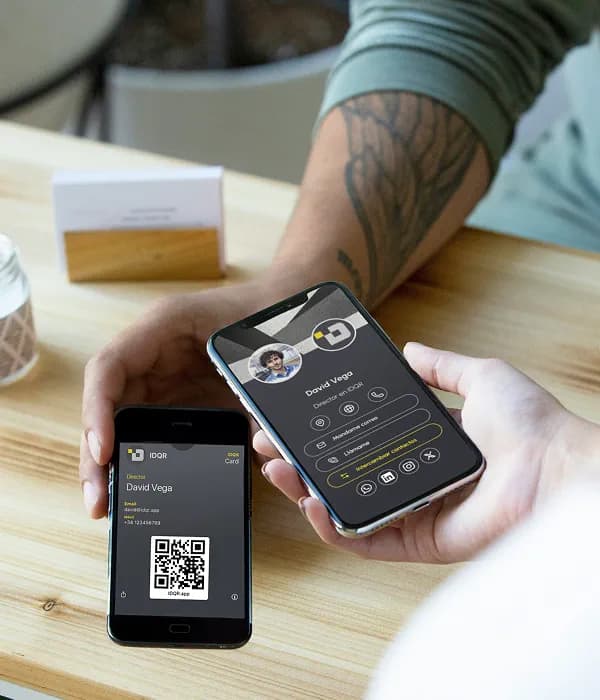
Both platforms cover the essentials well. You can design a card that matches your brand, share it by QR code, link or email signature, and save it to Apple Wallet or Google Wallet so it is always at hand on your phone. The people you meet open your card in their browser and save your details without downloading anything.
Both also help you turn the people you meet into contacts, including digitizing paper cards with an AI scanner, so the contacts you gather at an event end up in one place instead of a drawer. If all you need is a modern replacement for paper business cards, either one will serve you well.
Where IDQR pulls ahead
The gap opens up when you look at what happens after the share, and at what it costs to bring your team along. Here is where IDQR's features make the difference.
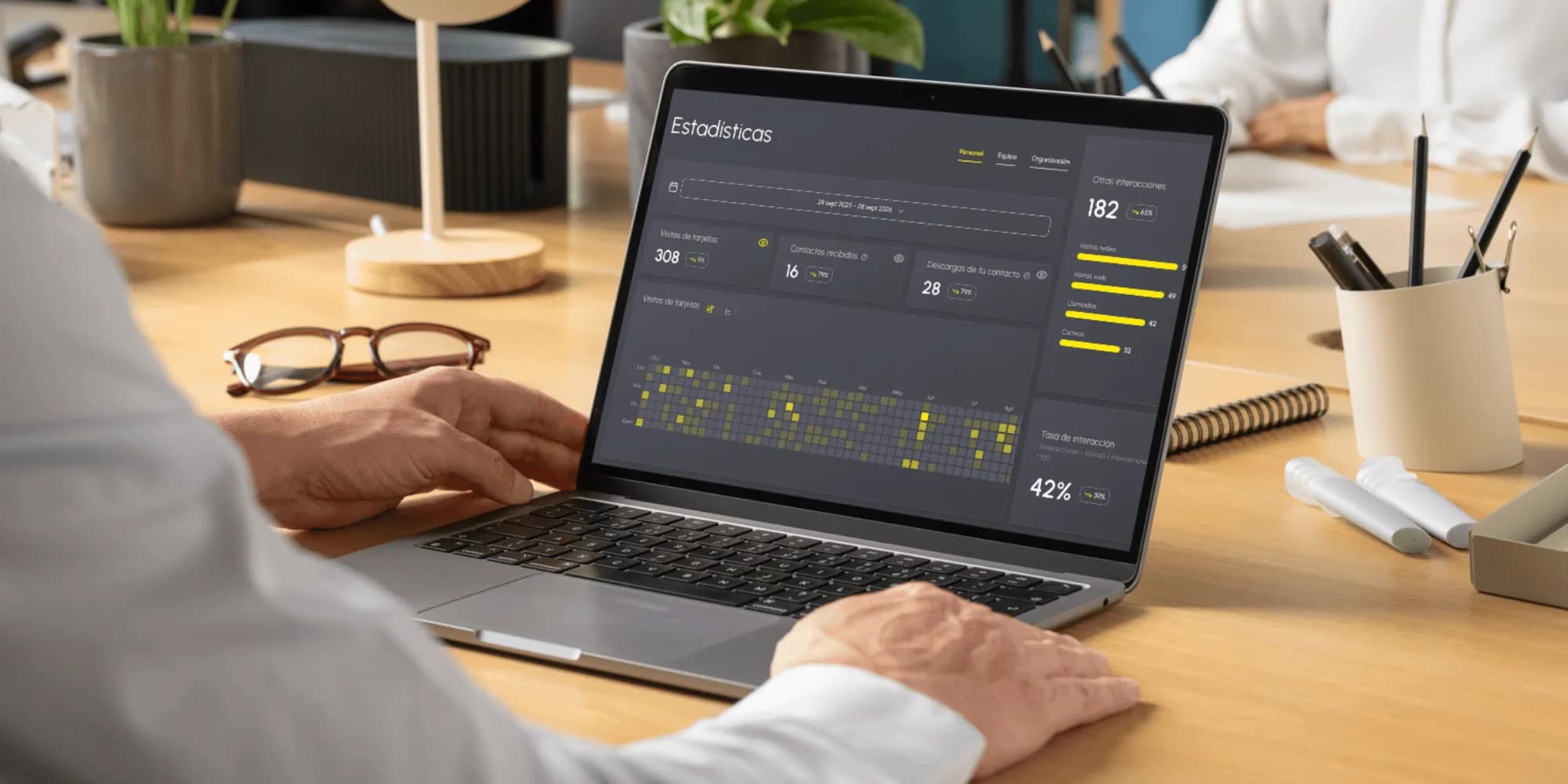
- Analytics that explain, not just count. Beyond views, link clicks and contact exchanges, IDQR gives you heatmaps, trend charts over time and conversion funnels that follow a visit all the way to a saved contact. You can see which event, which link and which colleague actually drives results. On Blinq, card analytics are only available on the Business plan, which requires a minimum of five users. Explore IDQR analytics.
- Nothing to install, on either side. You create, edit and share your IDQR card from any browser, on your phone or your laptop. Blinq recipients also need no app, but as the card owner you work mainly in Blinq's mobile app.
- CRM sync for small teams. IDQR syncs your contacts to HubSpot and Salesforce from the €4.50 per month Professional Plan, which includes two users. Blinq's native CRM integrations start on its Business plan at $6.99 per user per month, which requires a minimum of five users.
- Team management that starts small. An interactive org chart, roles and permissions, and a team leaderboard come with the Professional Plan. As you grow, the Enterprise Plan adds bulk card creation and on-brand templates, so every new colleague gets a consistent card in seconds. On Blinq, admin-controlled templates, field locking and bulk card creation all require the Business plan and at least five users.
- Built for multilingual teams. The IDQR platform is available in English, Spanish and German, so colleagues across Europe can work in their own language. Blinq is available in English only at the time of writing.
- Pricing that follows your needs. Plans scale by cards, users and contacts, so a two-person team never pays for five users, and a growing team only adds what it actually uses.
Where Blinq is strong
Blinq has earned its popularity, and in some situations it is the better choice.
- Two cards on the free plan, compared with one on IDQR's free plan, which is handy if you keep separate cards for different roles.
- A mobile app with extras such as AI contact enrichment and, from the Premium plan, an AI notetaker.
- A wide integration catalogue, with more than 20 native CRM integrations, plus Zapier, an API and Outlook sync, all on the Business plan with its five-user minimum.
- Enterprise controls such as enforced SSO and SCIM provisioning on its Enterprise plan, plus SOC 2 Type II and GDPR compliance on every plan, useful for large organizations with formal IT requirements.
Pricing compared
Pricing is where the two platforms differ most, especially for professionals and small teams.
IDQR's Professional Plan costs €4.50 per month, or €45 per year, and starts with four cards, two users and 200 contacts. It already includes advanced analytics, organization management and CRM sync with HubSpot and Salesforce. When you need more, the plan scales by cards, users and contacts, and the Enterprise Plan starts at €45 per month for 22 cards and 11 users. See IDQR pricing.
Blinq's Premium plan costs $9.99 per month, or $7.33 per month billed annually, and is designed for a single person. It adds branding, an AI notetaker and contact export, but no analytics, team controls or native CRM integrations. For any of those you need the Business plan at $6.99 per user per month, or $4.99 billed annually, and you must start with a minimum of five users. That puts the entry point for a team at around $35 per month on monthly billing, before any paid lead capture add-ons.
Put simply, a two-person team gets CRM sync, advanced analytics and team management on IDQR for €4.50 per month. On Blinq, the same team gets no card analytics and no CRM sync until it pays for at least five Business users, about $35 per month on monthly billing. Prices change over time, so check each provider's pricing page for the latest figures.
The verdict
Blinq and IDQR both produce a professional digital business card that is easy to share and easy to save. The real difference is what comes next: how much you learn from every interaction, and how smoothly the platform grows with your team.
Blinq is a strong, mobile-first app with a generous free plan and deep enterprise tooling for large organizations. IDQR is the better Blinq alternative for professionals and growing teams who want real insight into their networking: no app to install, Apple and Google Wallet support, analytics with heatmaps and conversion funnels, CRM sync and team management, at a price that makes sense from the very first colleague, with no five-user minimum standing between you and your analytics.
If you are weighing a switch, the simplest way to decide is to try it. Your first card is free, takes a few minutes to set up, and already includes many of the features in this comparison.
Frequently asked questions
Ready to try a Blinq alternative?
Create your IDQR card in minutes, save it to your wallet and see exactly who engages with it. No app to install, for you or for anyone you meet.
Try IDQR free