How to create a digital business card: step-by-step guide and tips
05/17/2026
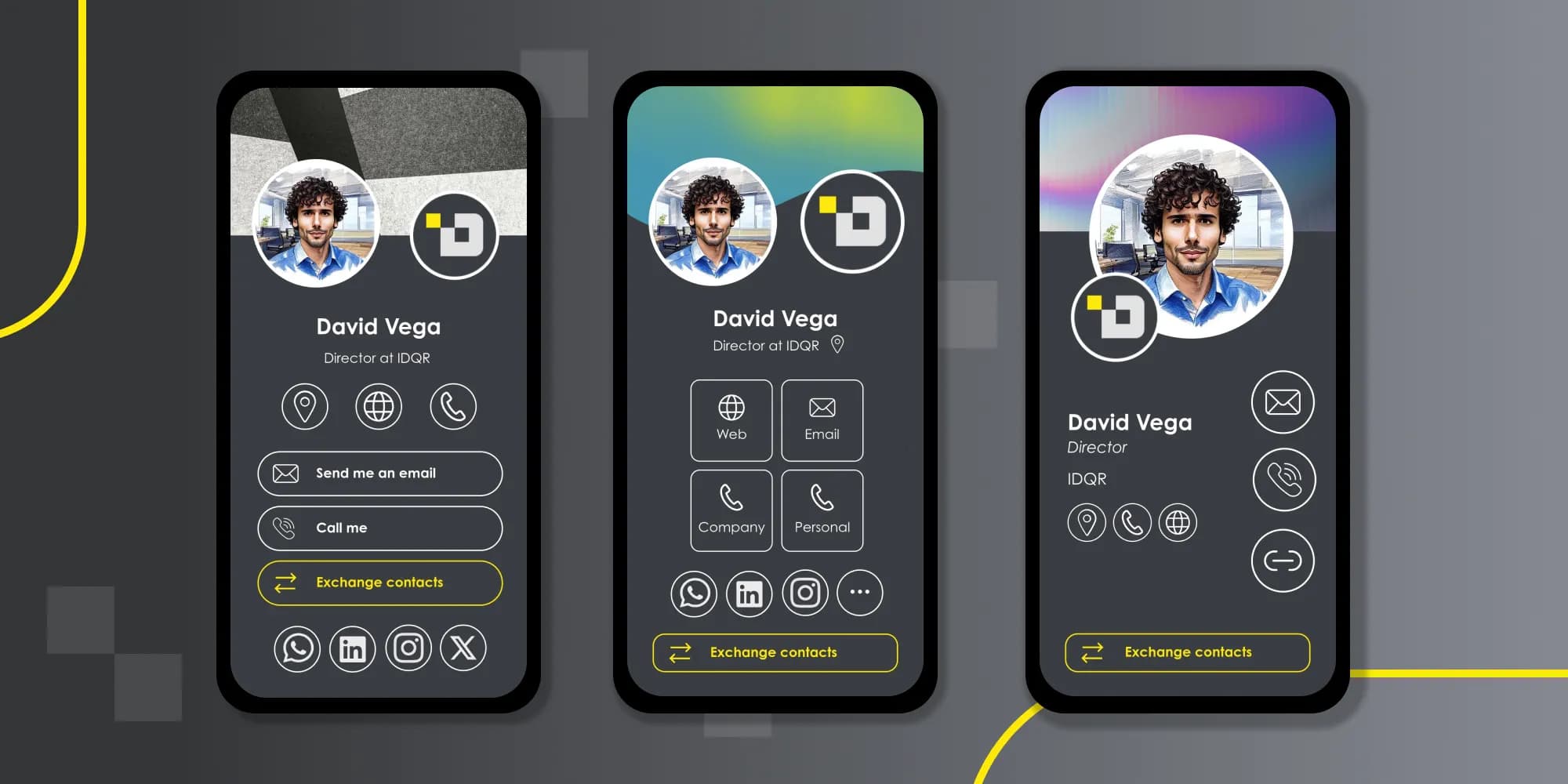
In this article we will show you how to create a digital business card on the IDQR platform and share some tips on how to set up an effective digital business card. Above you can see some of the examples of digital business cards that you can create in IDQR.
Prefer to jump straight in? You can create your IDQR digital business card for free in under three minutes - no app required.
How to set up a digital business card on IDQR?
It doesn’t matter if you want to create a digital card on Android or create a digital card on iPhone. IDQR business cards are compatible with any phone and OS. If you already have a profile on IDQR, go to the cards section and click the “Add card” button. This leads you to the card creation form. Don’t have an account yet? No worries! You can navigate to the same form from our home page by clicking the “Create a free business card” button. The form is divided into several sections.
- Fill in your profile information (name and email).
- Customize your card by selecting one of many different designs for your card and by uploading your personal images.
- Fill in your company information, such as position, company name, website and address, as well as company phones.
- Add your personal information, such as personal phones and media links.
It is optional to fill in most of the information, but from our experience, the more fields you add, the more attractive and engaging your business card will appear for your leads.
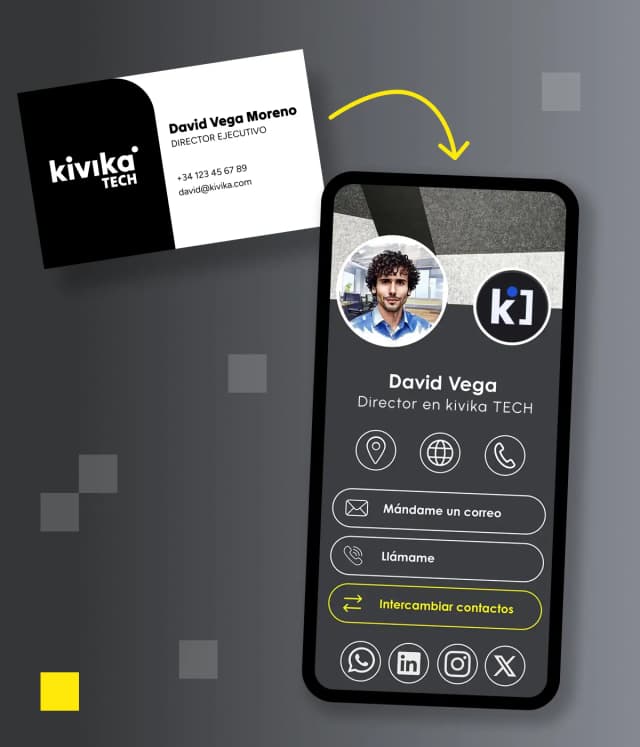
How to store business cards digitally with IDQR?
When you click finish, you will be able to add your card to your phone wallet or copy the URL that links to your card. In order to add digital business card to apple wallet or to google wallet, you should scan the QR code that appears on the screen. Your card will be automatically saved into your preferred wallet as a wallet pass. If you want to send your card as a link or attach your card to your social media, you can alternatively copy the link.
How to make your business card stand out?
A digital business card is often one of the first impressions that people get of your company. Therefore, we believe that a well-designed card can help you stand out, create more business connections and generally facilitate your networking. Below are some tips for your business card that may help you create a professional and impactful digital business card.
Tip 1: Keep the design of the card clean and professional
It is a good practice to avoid overloading your digital business card with too much information or too many colors. From our experience, a clean layout makes your card easier to read and is more appealing visually to your leads. Therefore, you should focus on:
- Simple typography
- Clear spacing
- Consistent branding
- Easy navigation
A minimal design often creates a stronger professional impression than an overly complicated one. This was one of the key principles that we followed when creating design templates for our IDQR cards. As a result, you can customise your IDQR card any way you want without fearing that it might look unprofessional.
Tip 2: Use high-quality images
People tend to recognize and remember you better when your card has a professional profile picture. Whereas for businesses, adding a company logo improves brand recognition. We advise to choose an image that has following qualities:
- High resolution
- Well lit
- Professional-looking
- Consistent with your brand image
On IDQR you can add up to three images to your business cards: profile image, logo and a background image. Background images are generally used to make the card more visually interesting. You can add any photo you prefer that reflects better you and your brand image.
Tip 3: Include Important Information
Your digital business card should provide a quick access to your most important contact details. Therefore, you should try to include:
- Full name
- Job title
- Company name, address and website
- Phone number
- Email address
- Social media links
Besides your name and email, the rest of the information is optional when creating an IDQR digital business card. However, it is usually a good practice to include most fields so that your contacts can get a complete picture of you and your brand.
Tip 4: Add a clear Call to Action (CTA)
A great digital business card encourages users to take the next step. Examples of strong call-to-action buttons include exchange contact button, visit my website button or contact me button.
Clear actions improve engagement and conversions. With IDQR business cards you have a variety of CTAs to encourage your clients to engage with your card. All your contact information and social media is presented as buttons, which makes it easy for your contacts to explore your profile.
Tip 5: Make Sharing Easy
One of the biggest digital business card benefits is convenience. Ensure your card can be shared quickly through:
- QR code
- Email signature
- Social media
- Direct links
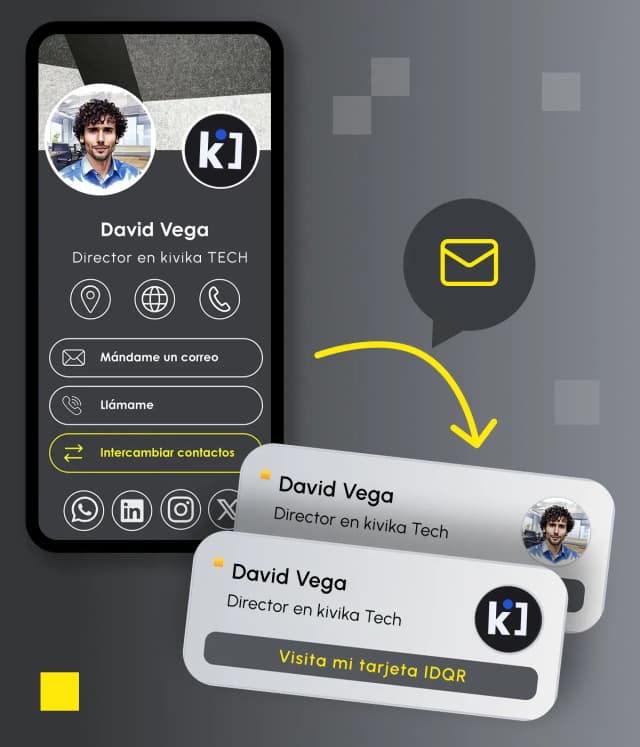
The fewer steps required, the more likely people are to interact with your card. IDQR provides you with a variety of options how to share a digital business card. For example, you can add digital business card to google wallet or to apple wallet as a pass and share it easily via a QR code. You can also transform your digital card into an email signature and add it to your emails. You don't have to create a digital business card for WhatsApp specifically, because it can be easily shared as a link via any messenger app. Your digital card can be also added directly to your social media profiles.
Tip 6: Optimize for Mobile Devices
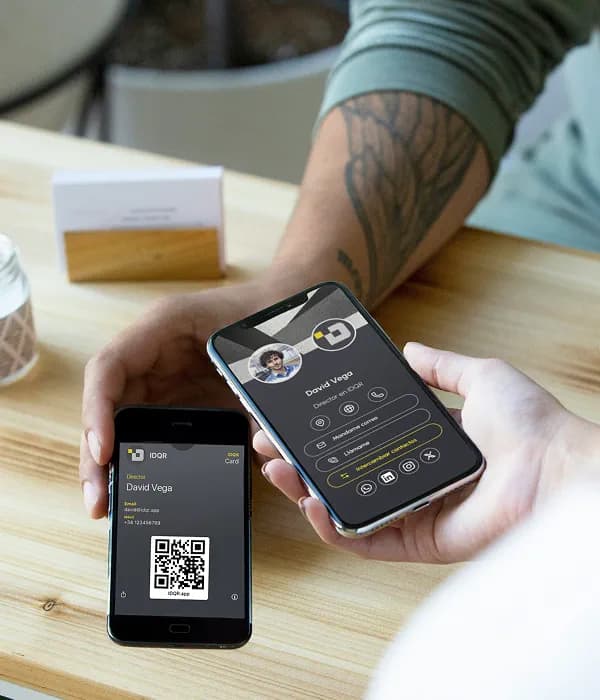
Most people will view your digital business card on their smartphones. Your card should:
- Load quickly
- Be mobile responsive
- Have readable text
- Feature easy-to-tap buttons
A poor mobile experience can reduce engagement. At IDQR we made sure that your digital business card looks good on the mobile devices: be it a digital card on Android or a digital card on iPhone.
Tip 7: Include Social Media Links Strategically
It is a good idea to add social platforms that are relevant to your professional image. For example:
- LinkedIn for corporate networking
- Instagram for creatives
- YouTube for video content
With IDQR digital business card you can select from many different social media options, so that you can make the card truly yours.
Tip 8: Keep Your Information Updated
Unlike paper cards, digital business cards can be updated without any difficulty. Always keep the following information up to date to avoid losing potential connections or leads: phone number, email address, job title, website links and social profiles.
IDQR cards synchronise automatically, so when the information changes, your wallet has an updated version of your card. No need to do any manual updates or synchronisation.
Tip 9: Use Analytics to Measure Performance

One of the benefits of digital business cards is the possibility to have measurable insights. These insights can show how many people viewed your card, which links are clicked most often or how engagement trends change over time.
Analytics help you improve your networking and marketing strategy. At IDQR we offer in depth analytics which shows not only the amount of clicks, views and contact exchanges but also provides advanced analytics such as the conversion funnel or leaderboard so that you can make informed decisions.
Tip 10: Add Digital Business Card to Apple Wallet or Google Wallet
Adding your digital business card to Apple Wallet or Google Wallet allows you to quickly display your QR code during meetings, conferences, and networking events.
Tip 11: Think Beyond Networking
Digital business cards are not just for events. You can use them in:
- Email signatures
- LinkedIn profiles
- Website contact pages
- Meeting camera backgrounds
- Presentations
- Marketing materials
- Social media
The more places your card appears, the more opportunities you create for engagement.
Final thoughts
Creating an effective digital business card is about more than simply replacing paper cards. It’s an opportunity to improve your professional image, simplify networking, and support your company’s digital transformation efforts.
At IDQR we provide cards with focus on clean design, device compatibility, statistics and easy sharing, so that you can create a digital business card that leaves a lasting impression and helps grow your professional network. As more businesses move toward sustainable and digital-first solutions, digital business cards are becoming an essential tool for modern communication and networking.
Create your free IDQR card
Now that you know how, put it into practice. Create your IDQR digital business card for free in under three minutes - no app needed to share or receive it, it works on Apple Wallet and Google Wallet, and it gives you analytics on every interaction.
Create your free card → idqr.app