How Do Digital Business Cards Work? (QR, NFC, and Links Explained)
06/18/2026

If you've ever watched someone share their contact details by just holding up their phone at a networking event, you've seen a digital business card in action. It looks almost effortless. And honestly, it kind of is.
But if you've never used one yourself, it's fair to wonder what's actually going on behind the scenes. Is it an app? A website? Do both people need something installed? What happens to the data?
This guide breaks it all down in plain English: QR codes, NFC, shareable links, and why any of it matters. By the end you'll know exactly how digital business cards work and whether they're worth switching to.
Spoiler: they are. But we'll let you decide.
Try IDQR free if you'd rather just dive in.
So, What Is a Digital Business Card?
At its core, a digital business card is a web page. A clean, mobile-friendly profile with your name, role, contact details, and links. Instead of handing someone a piece of card, you give them a way to open that page on their phone.
What makes it genuinely useful is that the page is live. Change your phone number, get a new job, add a new social profile, and update it once. Anyone who has ever received your card sees the new version straight away. No reprinting, no chasing people to update their contacts.
Platforms like IDQR handle all the design and hosting for you. Your card works on any phone or browser, and the person viewing it doesn't need an account or an app.
The 3 Ways You Can Share It
QR Codes
A QR code is essentially a scannable link. Point your phone camera at it, and it opens a URL. In this case, your card. Any modern smartphone reads them natively, no app needed, in under a second.
When you create a card on IDQR, you get a QR code automatically. You can pull it up on your phone screen at an event, include it in a presentation, print it on a lanyard, or leave it on your desk so visitors can scan it without you having to do a thing.
One thing people often overlook: you don't need to reprint anything when your information changes. The QR code stays the same. Your card updates behind it.
NFC
NFC stands for Near Field Communication. It's the same technology that lets you tap your card on a payment terminal. With an NFC-enabled business card, someone taps their phone against your card and your profile opens on their screen. No camera, no scanning, just a tap.
The card itself looks like a regular card, similar in size and feel to a credit card, with a small chip inside that stores the link to your digital profile. That link always points to your latest information, so there's nothing to reprogram when things change.
NFC works particularly well when you're somewhere loud or crowded and pulling out a phone to scan feels awkward, or when you want the interaction to feel a bit more seamless. Most iPhones from the XS onwards and modern Android phones will read it without any setup on the other person's end.
Links
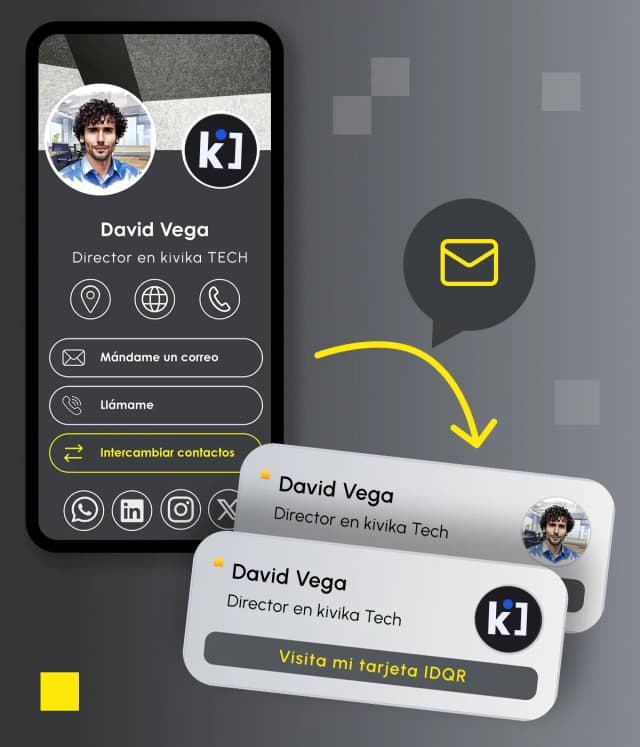
Every IDQR card gets its own URL. A clean, shareable link you can put anywhere, and this is where things get genuinely interesting, because suddenly your business card isn't limited to in-person moments.
Some of the places people actually use their card link: their email signature (probably the highest-leverage spot, since every email you send already becomes a handoff), their LinkedIn or Instagram bio, the chat on a video call, a follow-up WhatsApp message after a meeting, or a post-event email while the conversation is still warm.
The link works on any device, in any browser. No friction on the receiving end at all.
What About Apple Wallet and Google Wallet?
This one surprises people. IDQR cards can be added to Apple Wallet or Google Wallet, the same place you keep your boarding passes and loyalty cards.
In practice, it means your QR code is accessible even without signal, and you don't need to open any app or browser to find it. At an event, swipe up, tap Wallet, done. It's a small detail, but it removes one more moment of fumbling around on your phone.
What Actually Happens When Someone Scans Your Card?
It's worth walking through the experience on the receiving end, because it's a big part of why digital cards work so well.
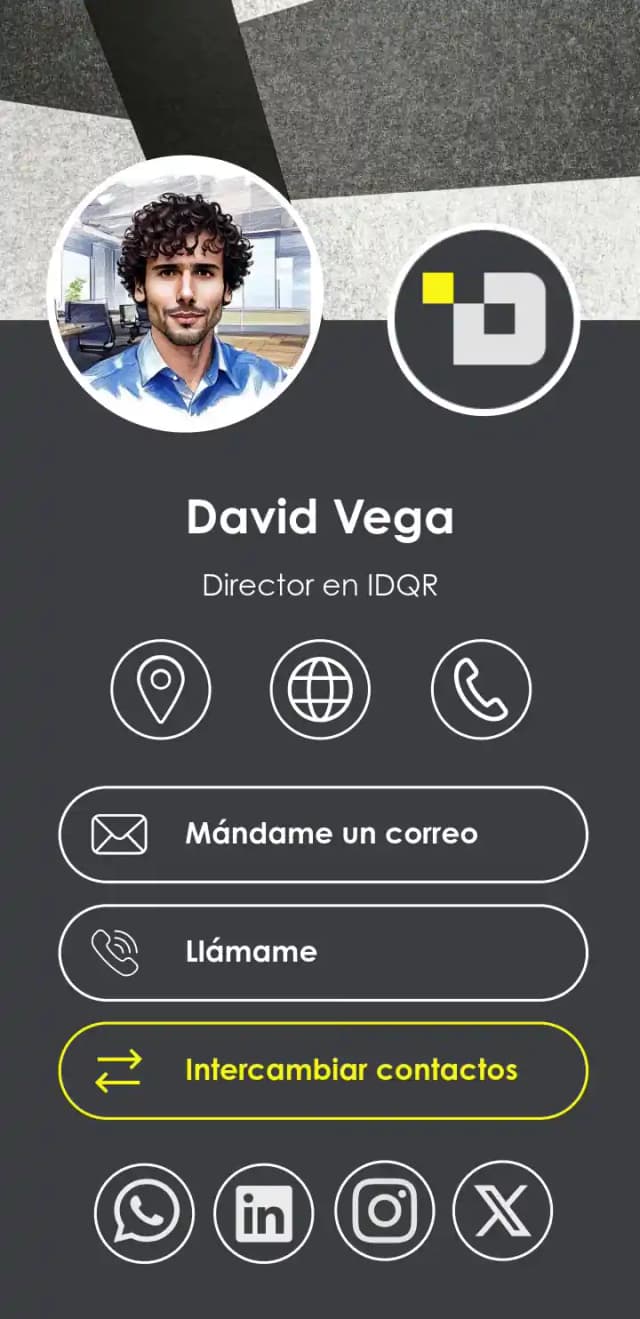
They point their camera at your QR code (or tap with NFC). Their phone reads the link and opens your IDQR profile in their browser. They see your card: photo, name, title, all your contact info and links. They can call you, email you, or visit your website directly from the page. One tap on "Save contact" and your details go straight into their phone. And on your end, IDQR records the view in your analytics dashboard.
The whole thing takes about ten seconds. No account needed. No download. They just see your card and can act on it immediately.
What Paper Cards Can't Do
When you hand someone a paper card, that's the end of the story. You have no idea if they looked at it, kept it, or left it on the table.
With IDQR, you can actually see what's happening. Your analytics dashboard shows how many people have viewed your card, which links they're clicking (your email, phone, LinkedIn, website), and how that changes over time. Share your card at an event and get a spike in views the next morning, you'll see it.
For anyone in sales or business development, that kind of visibility is genuinely useful. It's not about surveillance. It's about knowing whether what you're putting out there is actually landing.
How to Get Started with IDQR
Build your card first, create your account at the end
Head to IDQR and start creating your card straight away, no sign-up needed to begin. Add your details, pick a design, and when you're ready to publish, your account gets created automatically. Your link and QR code are live immediately.
Set up your account first, then build your card
Sign up with just your email, name, and preferred language. Go into your dashboard, create your card, fill in your details, customise the design, and publish. Your link, QR code, and analytics dashboard are all ready to go.
Both routes take about the same amount of time. If you're setting up cards for a whole team, starting with an account makes more sense. You can manage everything from one place, keep branding consistent, and onboard new people without starting from scratch each time.
The Short Version
Digital business cards work by turning your contact information into a live web page, then giving you several ways to point people to it: a QR code, an NFC tap, or a direct link. The person on the other end needs nothing installed. You update your details once and everyone stays current automatically.
What IDQR adds is the layer most platforms skip: you can actually see who's looking at your card, what they're clicking, and how your sharing is performing over time. It's the difference between putting something out there and knowing it's working.
See IDQR in Action
No design skills needed, no credit card required. Create your card, get your QR code and link, and start sharing today.
Create your free IDQR card